The 5-Step Setup That Clears My Inbox Before I Wake Up
Oct 17, 2026One job, shown all the way through. Not twenty things at surface level.
I've noticed something about how AI usually gets taught, and it drives me a bit mad!
You get twenty ideas. All of them sound brilliant. None of them are explained deeply enough to actually do, so you close the tab feeling informed and still completely stuck.
So this is the opposite of that. One job, from nothing to working, in the order I'd do it. The inbox one, because it's the job I'd hand over first if I were starting again, and it's the one people believe fastest.
Here's what we're building:
- Your inbox read and sorted before you open it
- What matters pulled to the top, with a line saying why
- The obvious replies already written, in your words
- Nothing sent. Everything waiting for you
That last point isn't a limitation. It's the entire design, and I'll come back to it.
Before you start
Why the inbox, and not something flashier
Because of the maths, honestly.
I used to lose about forty-five minutes every morning to my inbox, and almost none of that was answering anyone. It was reading. Sorting. Deciding. Remembering. Working out which of these was going to become a problem if I left it one more day.
Forty-five minutes a day is nearly five hours a week. A whole afternoon, gone, every week, to sorting.
And the sorting isn't even the expensive bit. The expensive bit is that it's the FIRST thing you do, so your best thinking hours get spent on triage, and by the time you reach the work that actually needs you, you're already tired.
Flashier jobs exist. This one buys back a morning!
Step 01
Teach it your business first. Yes, really first.
Every single time someone tells me AI gave them rubbish, this is the step they skipped.
Before it touches your inbox, it needs to know what it's looking at. Write it down once, properly, in plain words, the way you'd brief someone starting Monday:
- What you sell, and roughly what each thing is
- Who your customers are, and what they usually email you about
- What a genuine problem looks like in your world versus a thing that can wait
- Who the important names are. A supplier, your accountant, a regular client
- How you talk. Not "friendly and professional". Actual examples of you
That last one matters more than the rest put together, and here's the test I'd use. Go and find three emails you've actually sent that you were pleased with, and paste them in. Three real ones beat any description you could write!
🪄 What actually makes it work
This has to live somewhere PERMANENT, not in a chat window. A chat is gone by Thursday and you'll be typing it all again. Put it in a file, or in the instructions that attach to every conversation. Written once, it works forever. Typed into a chat, it works until you close the tab.
Skip this step and every other step produces a brochure.
RELATED: What Is an AI Agent? A Guide for Business Owners Who Are Not Technical
Step 02
Connect it to your actual inbox
This is the step people brace themselves for, and it's a few clicks! You go to connections, you pick your email, you sign in the way you sign in to anything, and you say yes.
No code. No downloading anything. Nothing installed on your computer.
A few things worth knowing before you do it, because nobody tells you and you should decide on purpose:
- You can see exactly what you've given it access to, and take it back whenever you like
- ⭐ You can limit what it looks at. A label, a folder, or just the last few days, rather than your entire email history
- It can read, and it can draft. Sending is a separate permission and I'd leave it off
⚠️ If you hold client information, read this bit twice
If your inbox has client contracts, health details, financial information or anything you've promised to keep private, that's not a feelings question, it's a professional obligation. Scope it to a label rather than the whole mailbox, go and read the provider's terms on what happens to your data, and if you have a privacy policy with clients, check it covers this. ⛔ I'd rather you set this up narrow than not set it up at all, and I'd rather you set it up slowly than regret it.
Start it on ONE label. You can widen it next week.
Step 03
Write the instruction, like a handover note
Here's the bit that feels like it should be hard and isn't. You're writing a note to someone covering your desk.
Mine says roughly this, and yours should say something like it in your own words:
- Go through everything that arrived since yesterday morning
- Put the ones that need me today at the top, and tell me in one line why each one is there
- Anything that's a straightforward reply, draft it in my voice and leave it in drafts
- Group the rest so I can glance and move on
- Flag anything you're not sure about rather than guessing
- Don't send a single thing
That's it. That's the instruction. No special words, no magic phrasing. If a competent human could follow your note, it can follow your note.
If you can write a handover note, you can do this. That's genuinely the whole skill.
🪄 What actually makes it work
The line that earns its keep is "tell me in one line why". Without it you get a list and you still have to work out what's going on. With it you get a briefing, and a briefing is the thing that actually saves you the forty-five minutes. Most people leave that line out and then wonder why it didn't help much!
Step 04
Run it in front of you. Three times.
⛔ Do not schedule it yet! This is the step everyone wants to skip and it's the one that makes the difference between a routine you trust and a routine you turn off.
Run it manually, while you're sitting there, three days in a row. Each time, compare what it gave you against what you'd have done yourself, and fix the instruction rather than fixing the output.
What you're watching for:
- Did it put the right things at the top? If not, your definition of "important" needs to be more specific
- Do the drafts sound like you? If not, go back and add more real examples
- Did it flag the uncertain ones, or quietly guess? Guessing is the one to stamp on early
- Did it miss anything that mattered?
By the third run it'll be noticeably better, because you'll have improved the instruction twice. That improving loop IS the work. There's no version of this where it's perfect on day one, and anyone telling you otherwise has not done it.
Fix the instruction, not the output. Fixing the output is just doing the job yourself with extra steps.
RELATED: 5 Things I Wish I'd Known Before I Let AI Do My Work
Step 05
Then, and only then, set it loose
Once it's behaving, put it on a schedule so it runs before you get up. Early enough that it's finished, not so early that it misses the overnight emails.
And then comes the strange part that nobody warns you about. The first morning feels wrong!
You open your laptop and the job's done and there's a sort of guilty pause, because the thing you always do first has already happened. It passes within about a week, and then it just becomes Tuesday.
🪄 What actually makes it work
Nothing sends without me, and that is not a safety blanket, it's the design. The day something emails a customer in my name without me reading it first is the day I turn the whole thing off. Drafting is where the time lives anyway. The press of the send button costs you nothing, and it's the only thing standing between a useful assistant and a very public mistake.
It drafts. You decide. That line never moves.
You don't need another thing on your to-do list.
You need a few things getting done without you.
If you only do one thing
Don't do all five steps this week. Do step one!
Write down what your business is, who your customers are, and how you talk, with three real emails pasted in underneath. Half an hour, maybe less.
Because here's the thing. That one document makes every other job on this list possible. The inbox, the content, the follow-ups, the week plan. They all run on it. And it's the only part nobody else can do for you.
Then come back and do step two.
RELATED: 6 Jobs I Now Wake Up to Already Done
Work less, earn more, and get to actually live the life you started this whole thing for. 👑
That was one of twenty 🌙
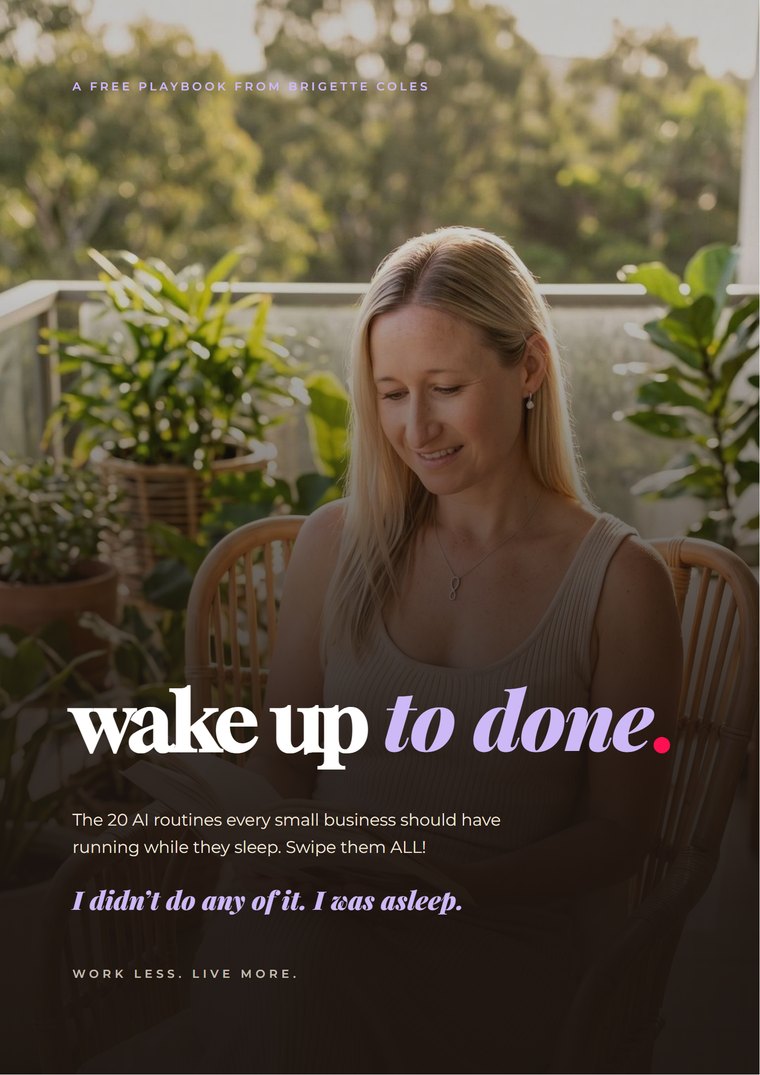
Wake Up to Done
The Night Shift Playbook
The 20 AI routines every small business should have running while they sleep. What each one does overnight, what you wake up to, and how to set up your own version.
Free, and in your inbox in about a minute.